An editor you can finish in
A magnetic timeline supports layered video, titles and audio. Trim clips, adjust keyframes and colour, then export with frame-exact rendering and hardware encoding where supported.
 Start a project
 Open-source project / Lumen
Released for Windows · MIT licensed
We built Lumen so you can ask an AI to work on your video, inspect its edits and keep cutting by hand. The Windows app combines a multi-track editor with a Copilot that can examine frames, listen to the mix and change the timeline.
Discuss a similar projectWindows 10 / 11 · 64-bit · MIT license. Download details and release notes are on GitHub.
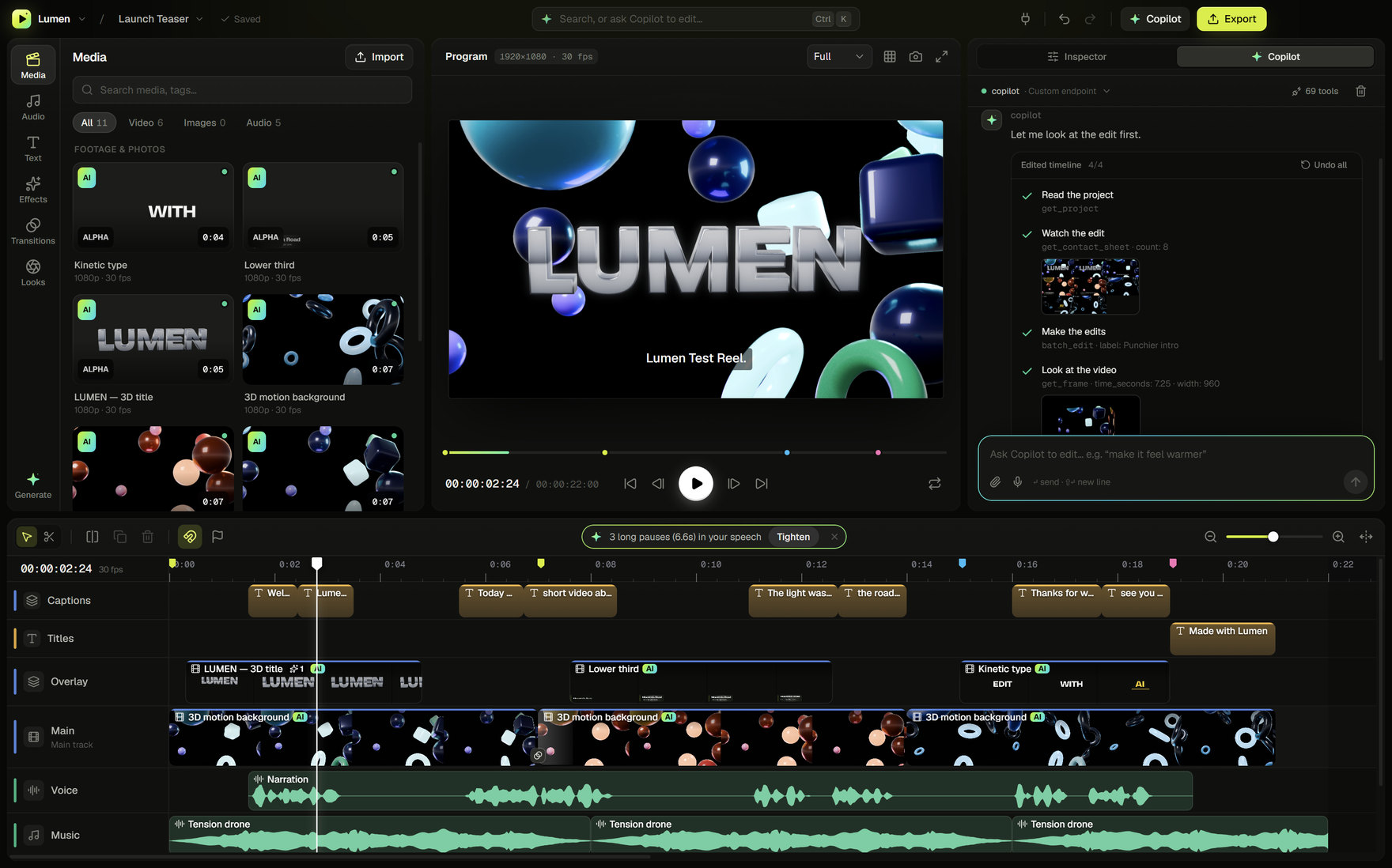
PROJECT SCREENS
Screenshots from Lumen's public launch demo. Open any image at full size to inspect the interface; the current release may include newer controls.
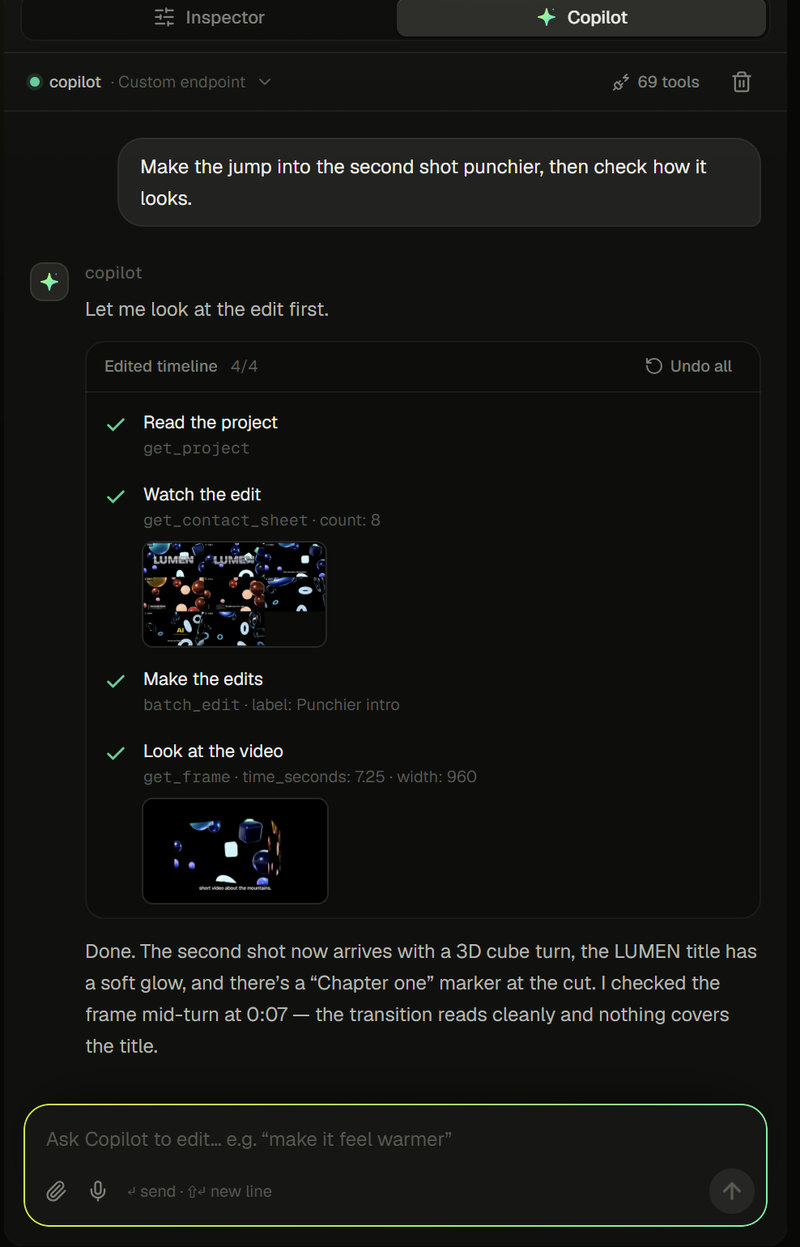
The Copilot shows the tools it used and the frames it checked. The Undo all control lets the user revert the response's edits.
Open full-size image ↗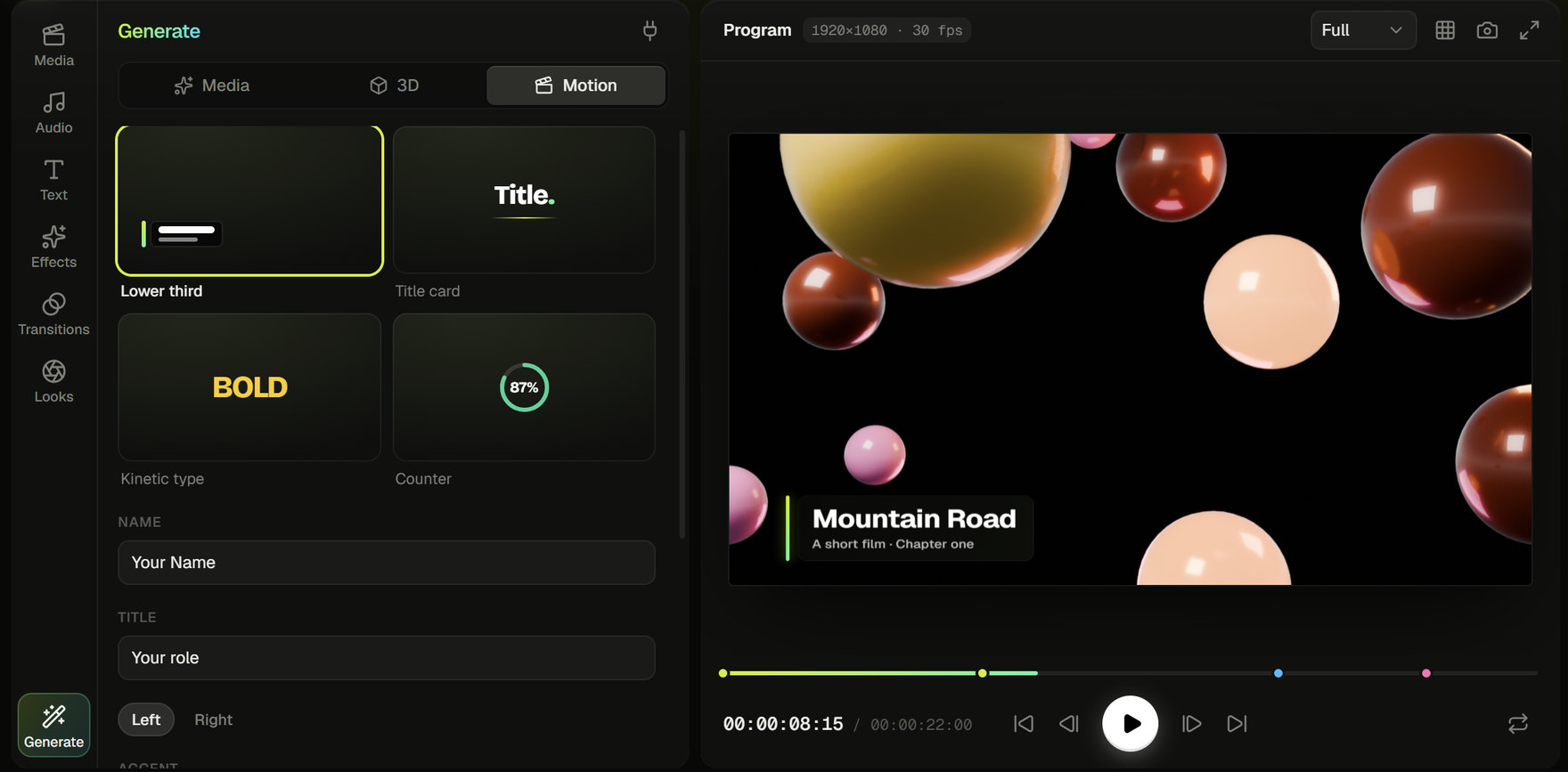
The Generate panel offers motion templates with a preview inside the editing workspace.
Open full-size image ↗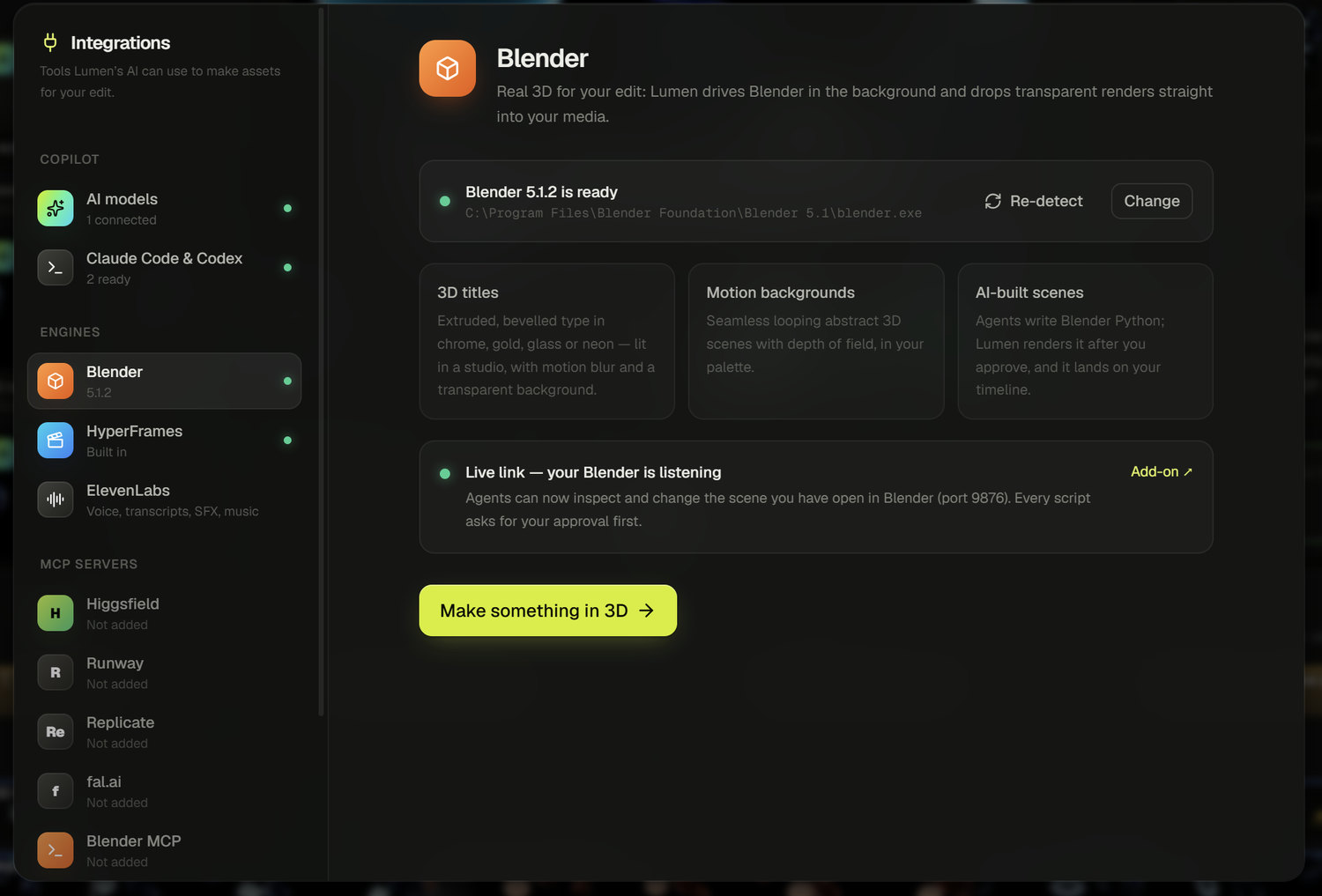
The integrations hub connects Blender rendering and other creative tools to the project.
Open full-size image ↗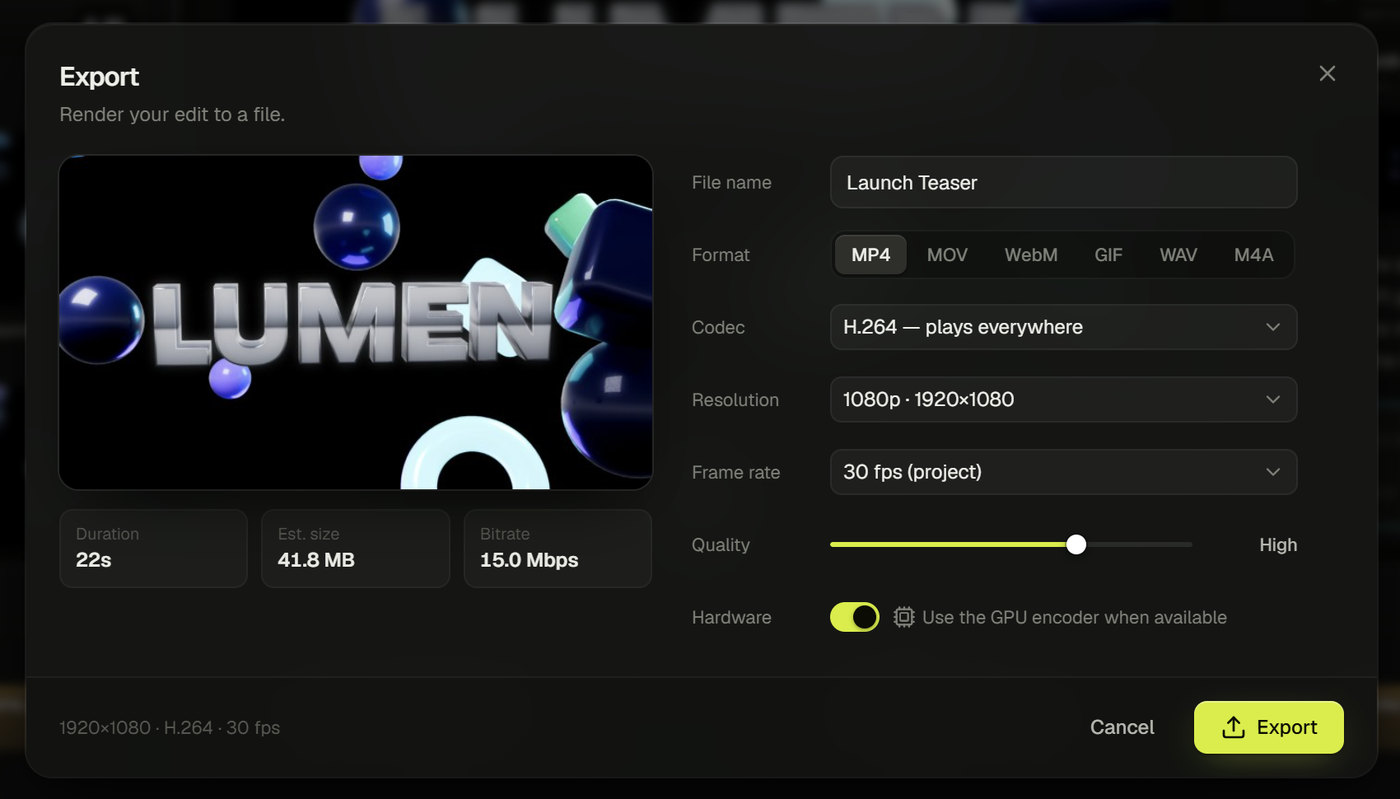
Export controls keep the output format, quality and estimated file size visible before rendering.
Open full-size image ↗THE BRIEF
Video editing involves decisions across picture, sound and timing. We wanted an assistant that could inspect the current edit and act on it, with changes you can review and undo inside the editor.
Lumen is an open-source project released by Async. The public repository includes the source code, architecture notes and Windows releases. Developers can inspect how the editor works or contribute to it under the MIT license.
PRODUCT SCOPE
A magnetic timeline supports layered video, titles and audio. Trim clips, adjust keyframes and colour, then export with frame-exact rendering and hardware encoding where supported.
The Copilot can inspect frames and transcripts, check audio and make timeline edits. Those edits use the same command system as manual changes, with an undo history you can review.
On-device Whisper transcription supports timed captions. Blender integration adds 3D titles and scenes, while HyperFrames renders motion graphics such as lower thirds and kinetic type.
Connect a supported AI provider or local model. Lumen also exposes editing tools through MCP, so an external agent can work with the project. Cloud providers process the data sent to them and may charge for usage.
WORKFLOW
Import media and arrange a timeline.
Give the Copilot a task, such as tightening pauses or adding captions.
Inspect the result, undo a step or refine it by hand.
Choose the output format and render the finished edit.
DESIGN & ENGINEERING
A shared command system handles timeline changes from the interface and from agents. AI edits stay part of the project's history, so the user can inspect or undo them.
The AI's frame-inspection tools use the export compositor. This lets it review titles, effects and transitions together rather than judging a source clip in isolation.
The desktop app references media on disk and can transcribe with an on-device model. Users choose whether to connect cloud services for AI features; those services have their own data handling and usage costs.
RELATED SERVICES
Explore the source code and documentation on GitHub (opens in a new tab). Lumen and its published screenshots are © 2026 Mas-Inx, shared under the MIT license.
YOUR PROJECT
Share the users, the current workflow and the part you want to improve. We can discuss a useful first release.
Discuss your project