Device monitoring
The backend polls optical amplifiers, switches and transmitters. Readings and repeated connection failures feed the device state shown in the console.
 Start a project
Async-owned product / Async EMS
Async EMS is our element management system for cable TV and hybrid fiber-coaxial networks. We built a web console that brings device readings, alerts and network topology into the same operational view.
Discuss a similar project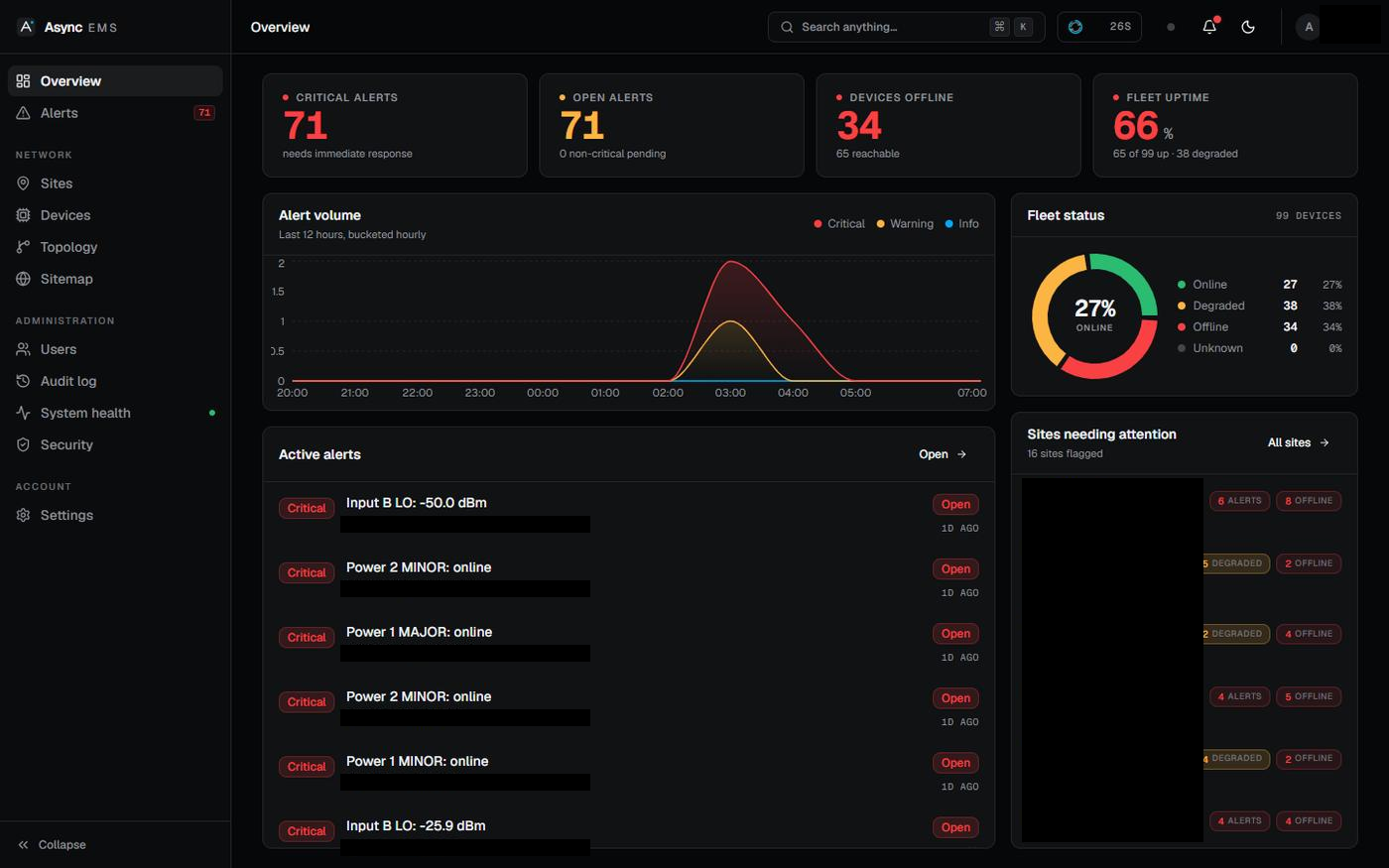
PROJECT SCREENS
Open an image to inspect it at full size. Black rectangles hide private details or unverified figures.
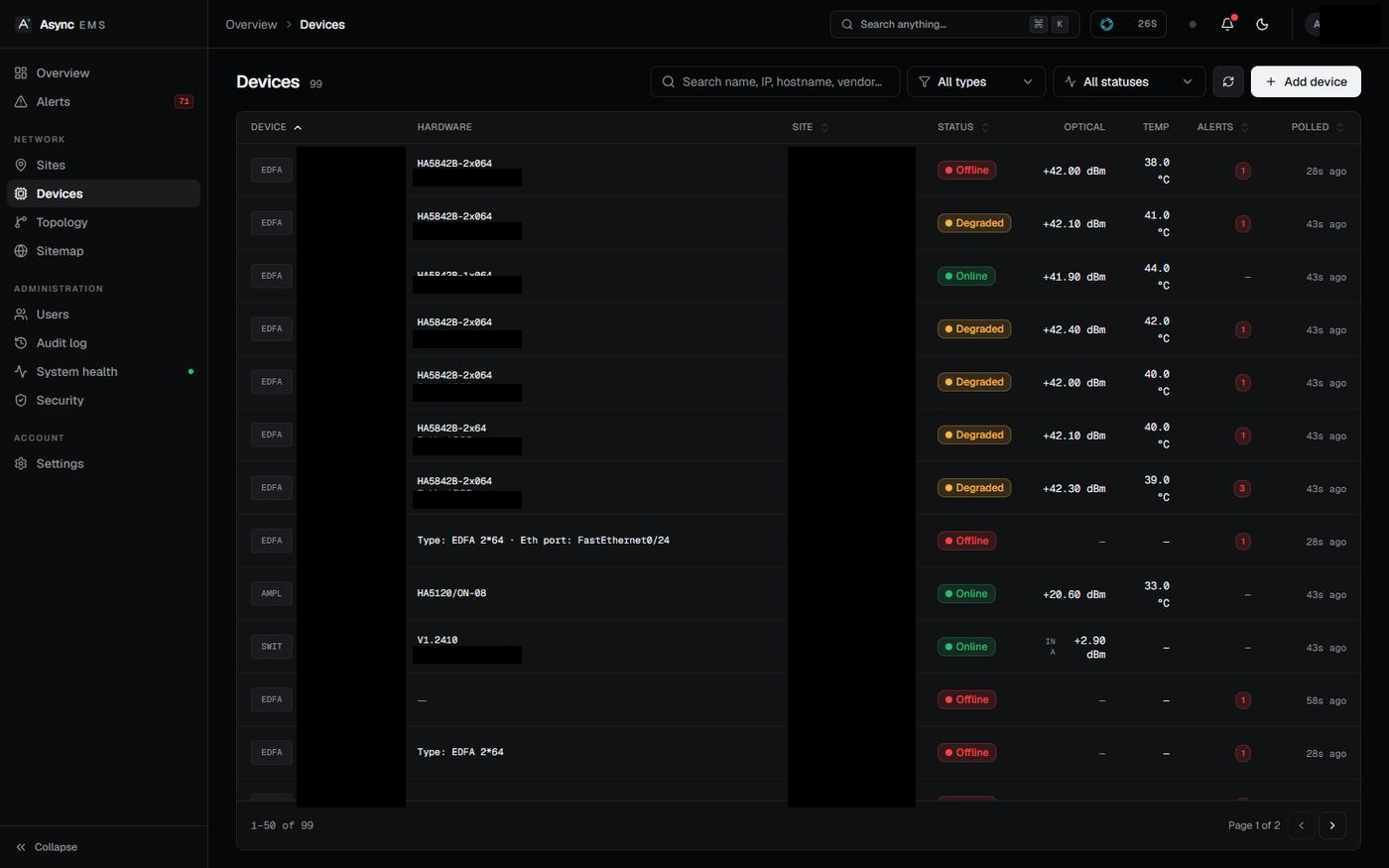
Device status and optical readings in a shared table. Black rectangles hide network addresses and identifying labels.
Open full-size image ↗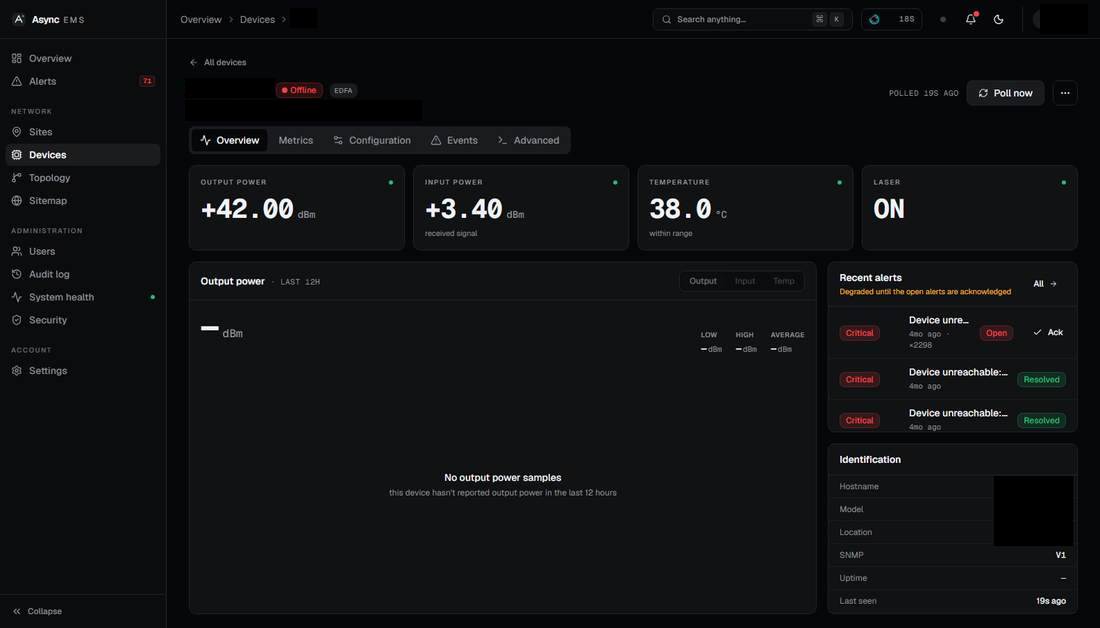
A device view with readings and recent alerts. The captured device has no output-power history in the displayed period.
Open full-size image ↗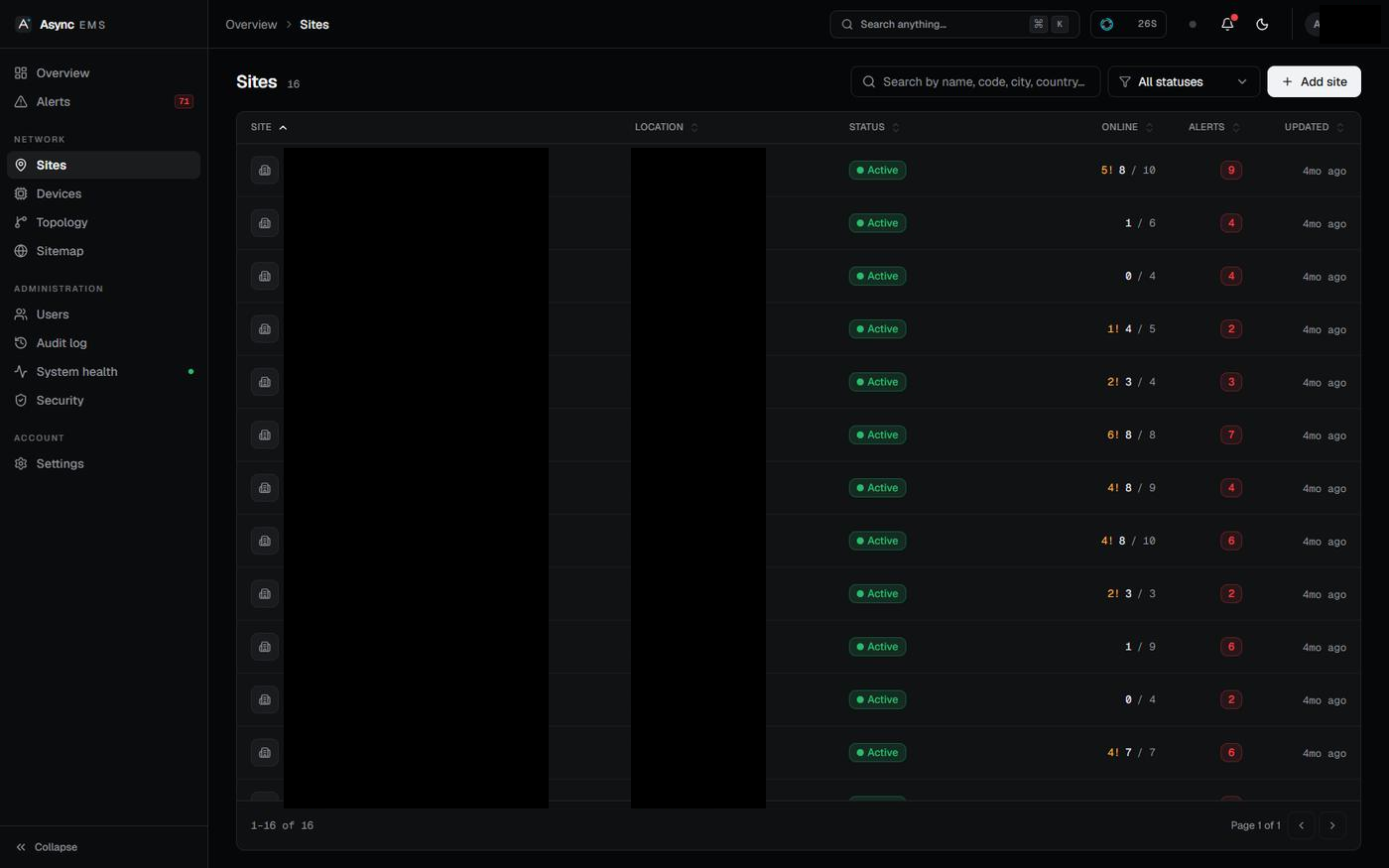
The site table groups availability and alerts. Site names, codes and locations are hidden.
Open full-size image ↗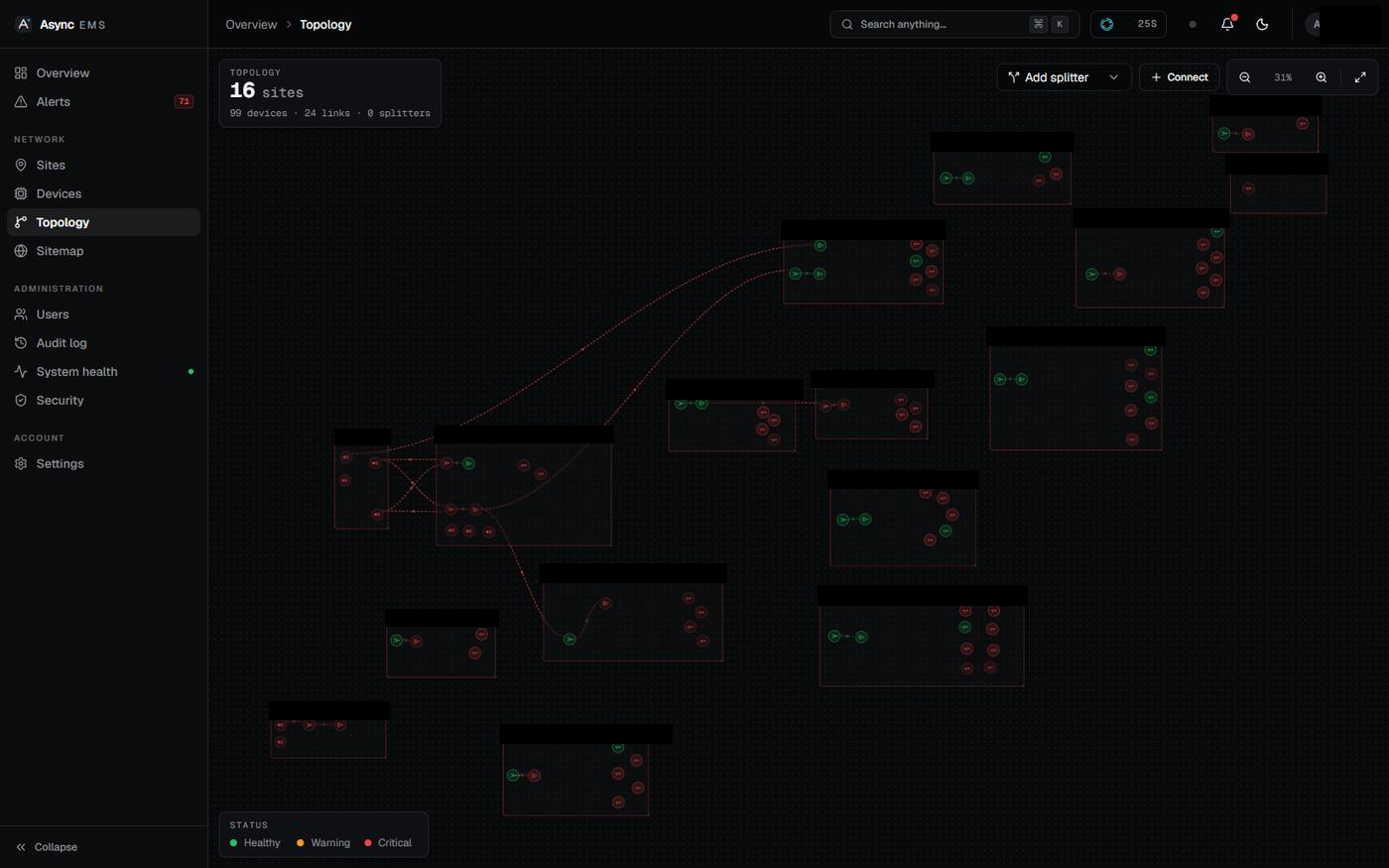
The desktop topology canvas shows connections between groups. Identifying labels are hidden.
Open full-size image ↗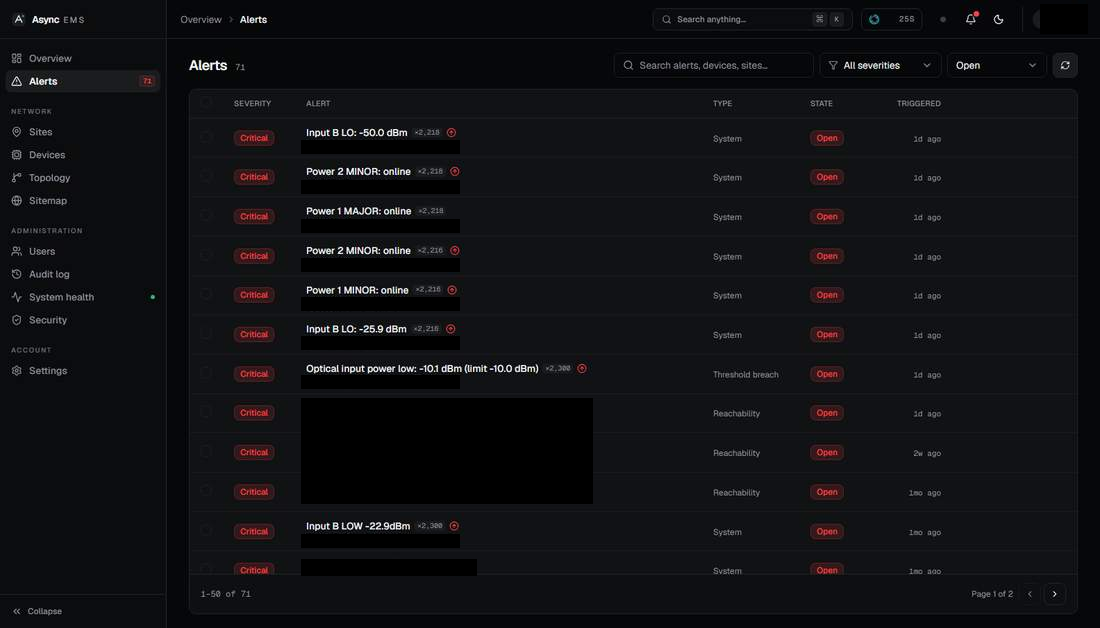
Operators can review alert severity and state. We have hidden identifiers and messages containing network addresses.
Open full-size image ↗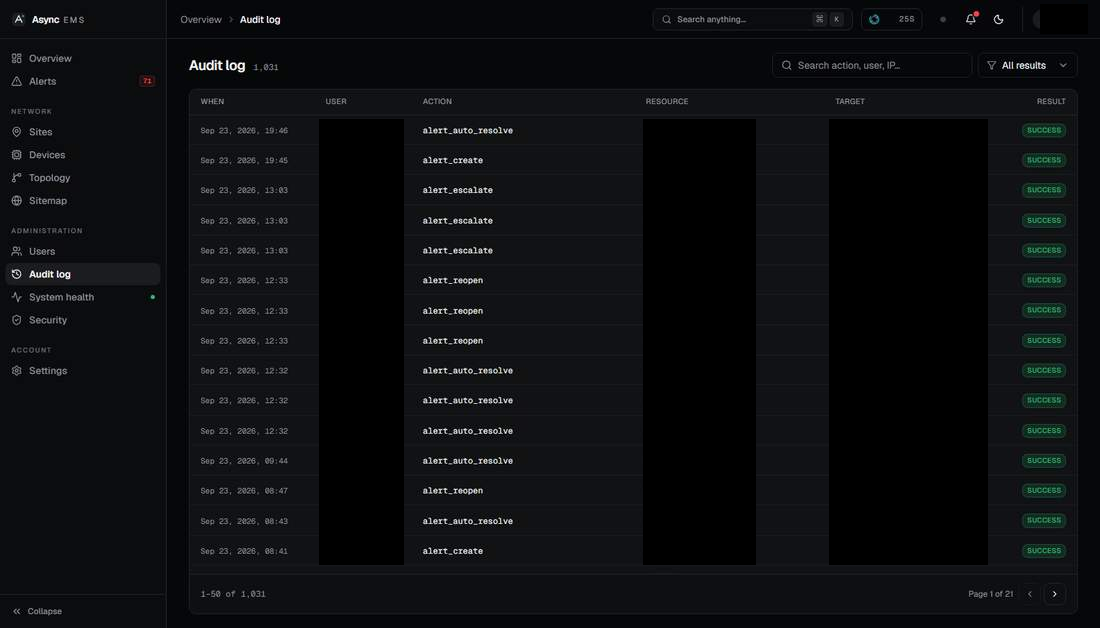
A record of system actions and their results. User, resource and target identifiers are hidden.
Open full-size image ↗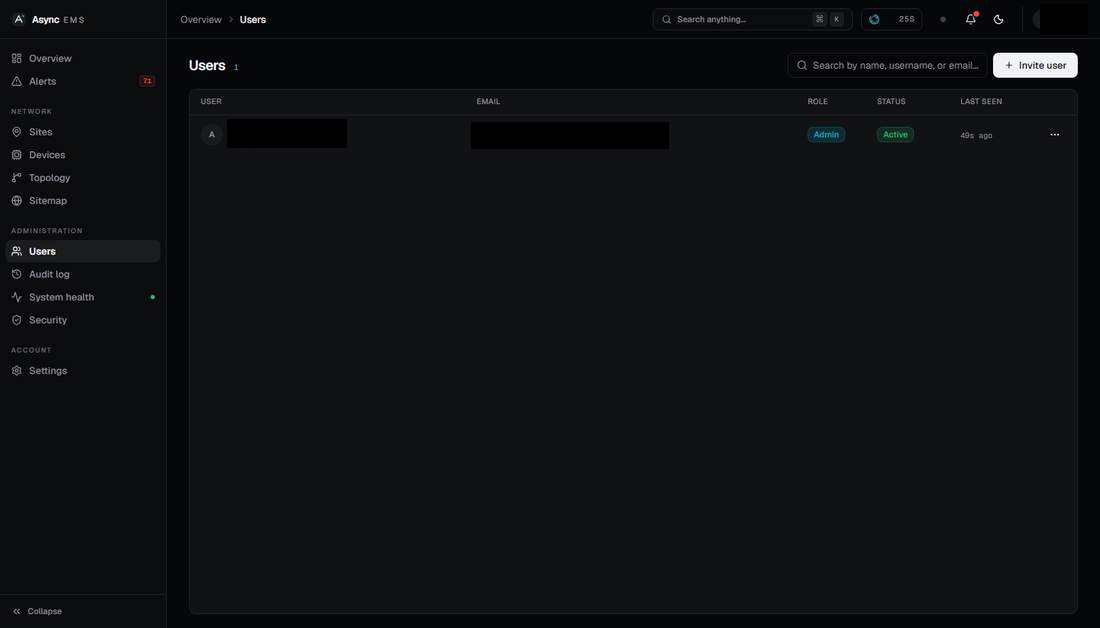
The user administration view retains role and status columns while hiding account details.
Open full-size image ↗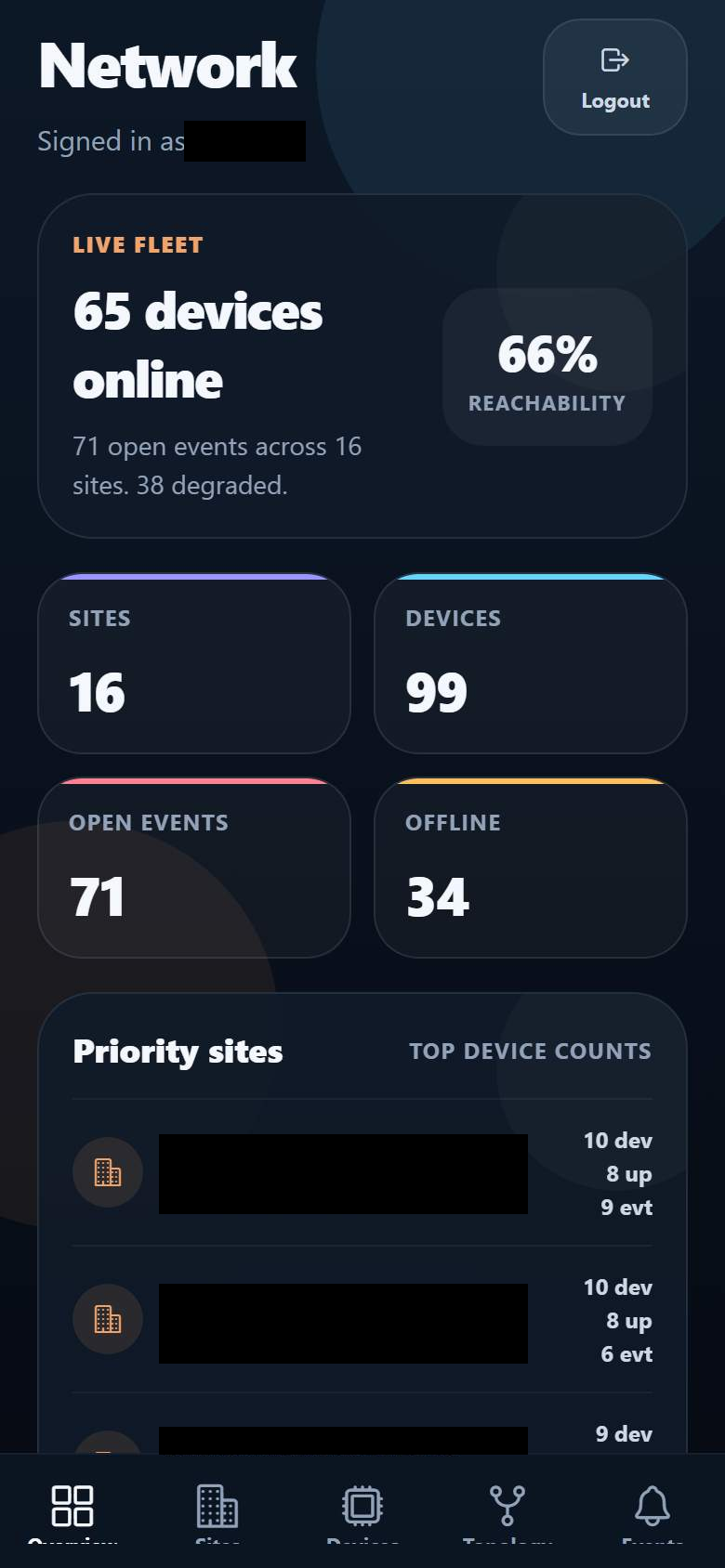
Phone-sized capture of the mobile companion's Expo web build. The account and priority-site details are hidden.
Open full-size image ↗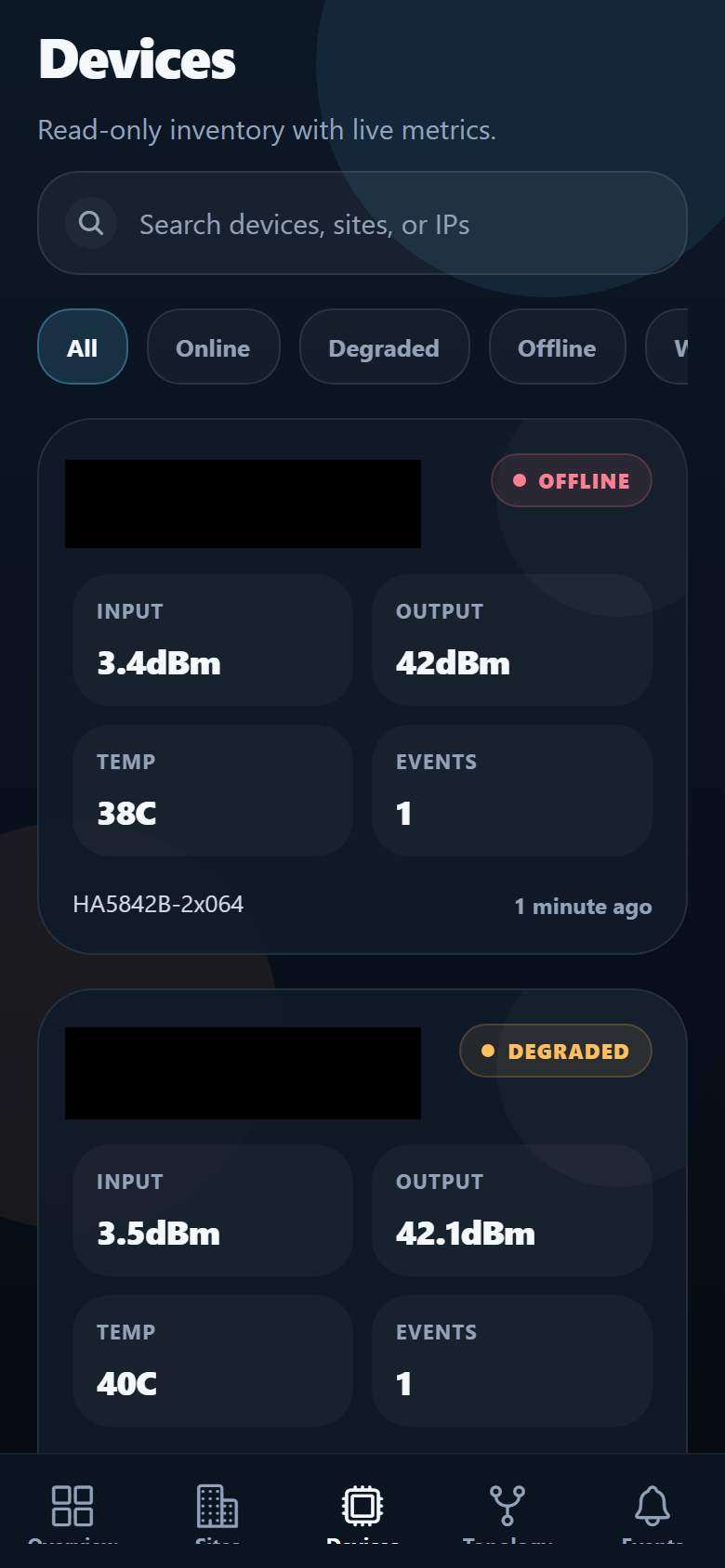
The mobile companion presents device readings as cards. Captured through its Expo web build; network identifiers are hidden.
Open full-size image ↗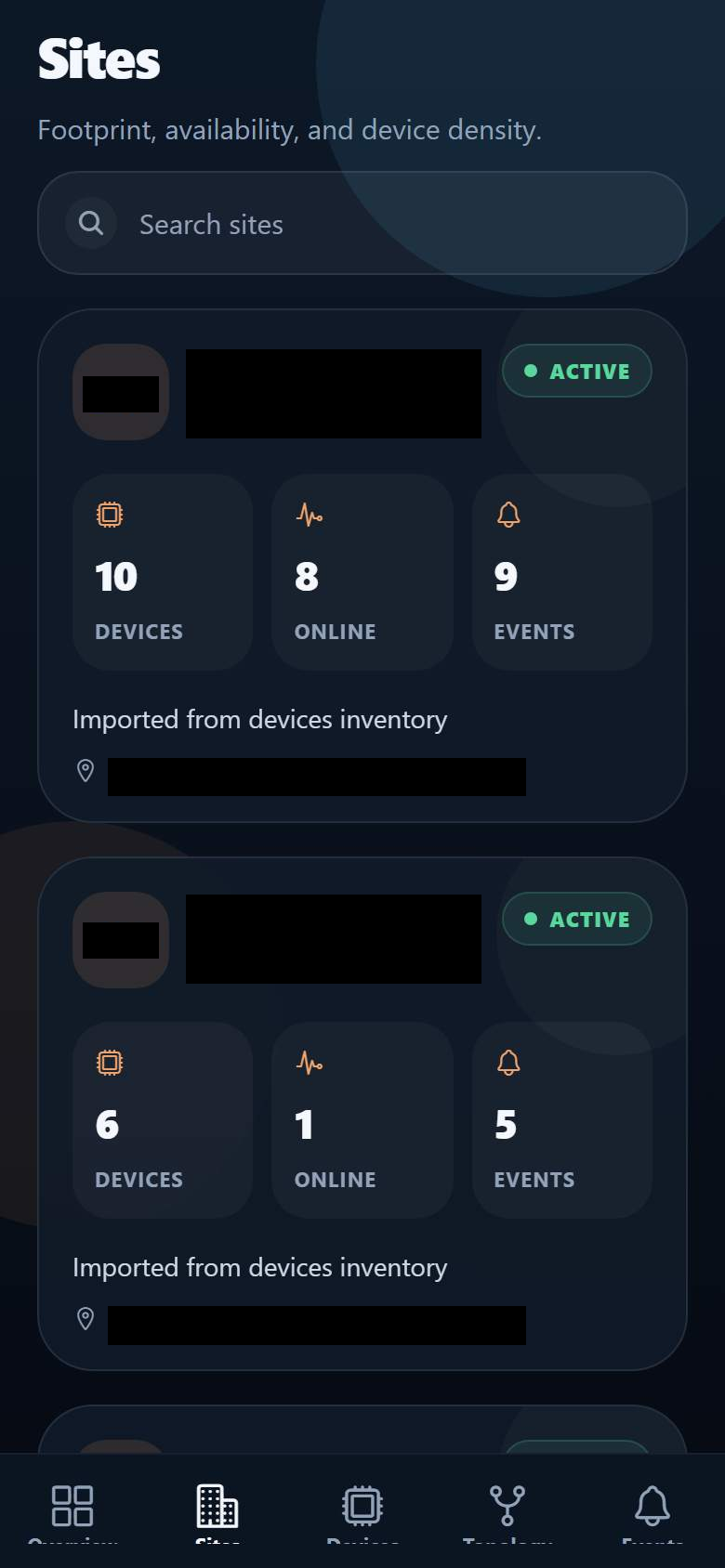
Site cards in the mobile companion's Expo web build. Black rectangles hide location and site identifiers.
Open full-size image ↗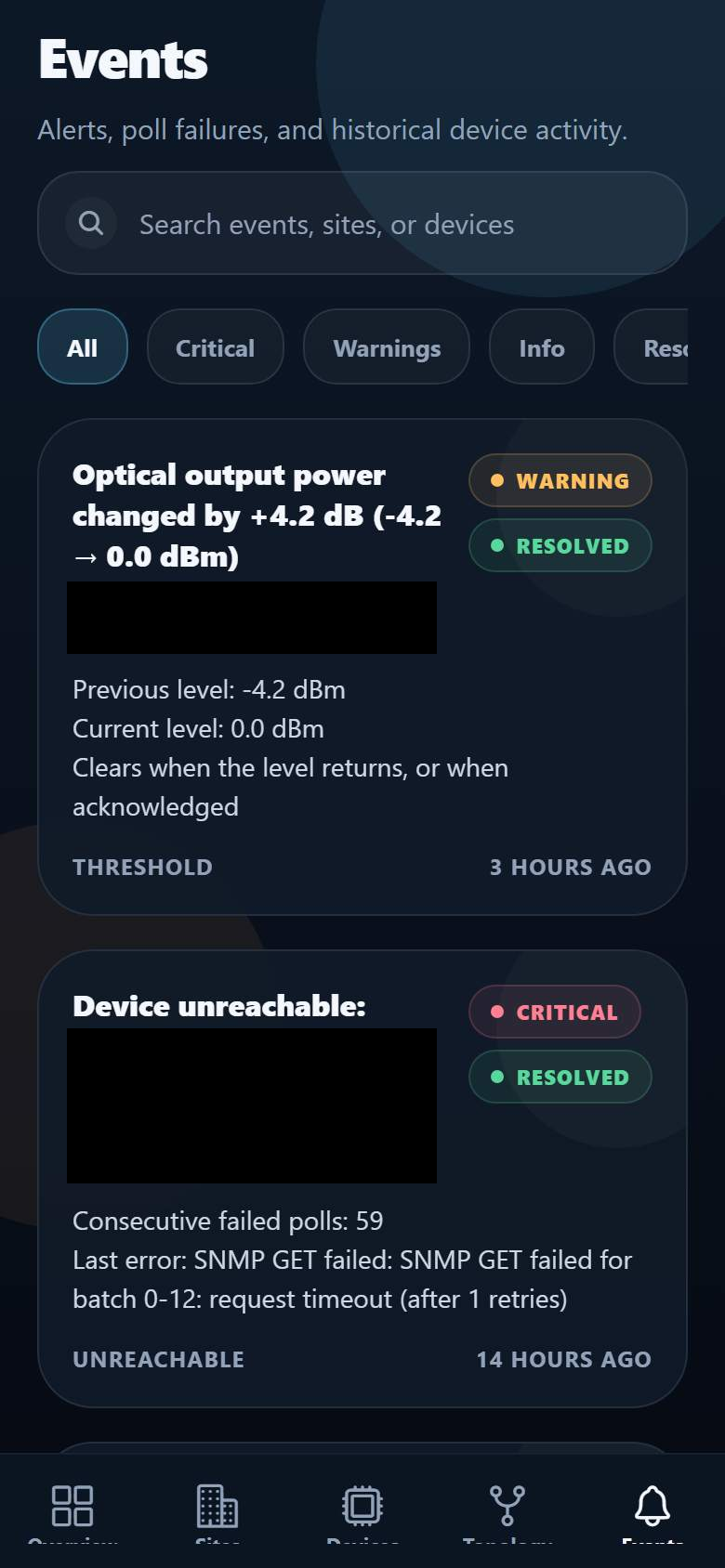
The event view groups alert details and resolution states. This is a phone-sized Expo web capture with identifying details hidden.
Open full-size image ↗THE BRIEF
Optical networks contain equipment spread across different sites. Operators need to identify an unreachable device, inspect its readings and understand where it sits in the network before deciding what to do next.
We built EMS around equipment that communicates through SNMP, a network-management protocol. The product pairs scheduled device polling with site and topology views. Configuration changes require a different level of access from viewing network state.
PRODUCT SCOPE
The backend polls optical amplifiers, switches and transmitters. Readings and repeated connection failures feed the device state shown in the console.
Threshold checks surface optical-power and temperature alerts. Operators can move between the overview, sites and device views to investigate an event.
Administrative actions can write supported settings back to equipment. An audit trail records the change so device operations can be reviewed.
The product includes an operations wallboard and a mobile companion with views for devices, sites and events. Each surface serves a different way of checking network state.
WORKFLOW
Read equipment state through SNMP.
Check readings and reachability.
Inspect the affected site and device.
Apply an authorized change with an audit trail.
DESIGN & ENGINEERING
A person checking a site should not automatically gain permission to change equipment settings. Viewer and administrator roles separate these responsibilities.
Site and topology views connect a device to the wider network. Operators can investigate an alert without reducing the product to a flat list of unrelated measurements.
The wallboard provides an overview while the mobile companion makes device, site and event views available on a phone. Detailed investigation remains available in the desktop console.
RELATED SERVICES
Use the cost guide to scope integration, access rules and operating costs before requesting a proposal. Its figures are illustrative, not EMS project prices. Plan a custom software budget.
YOUR PROJECT
Share the users, the current workflow and the part you want to improve. We can discuss a useful first release.
Discuss your project